A Website Backup Is Not a Recovery Plan: Run a Safe Restore Test
A backup is a collection of data. A recovery plan is a tested process that turns that collection into a usable website within an acceptable period. A backup may exist yet be incomplete, out of sync with its database, dependent on missing configuration or unreadable when it is needed.
A safe restore drill therefore runs in an isolated environment, never first over the production website. Official WordPress documentation explains that a typical site needs both its database and files as one backup set. NIST SP 800-34 Rev. 1 treats testing, training and exercises as part of contingency planning. The process below is an operational checklist, not a substitute for an infrastructure-specific plan.
1. Inventory what the website must recover
List the database, application files, uploaded content, themes or templates, extensions, environment configuration and external dependencies. Do not place secrets in a public record; document only where they are stored securely and who is authorised to retrieve them.
Define the minimum acceptable recovered state. A working home page is not enough. Include key page types, media, administrative access, language links, forms in a safe test mode and relevant scheduled jobs.
| Layer | What belongs in the set | Evidence after restore |
|---|---|---|
| Database | Time, format, size and readability | Expected tables and critical records |
| Files | Application, media and customisations | Pages and files load correctly |
| Configuration | Versions, paths, permissions, dependencies | Application starts without production secrets |
| Procedure | Sequence, owner, access and timing | Repeatable record with time and issues |
2. Separate production from the restore test
Build an isolated environment that cannot overwrite the production database or public files. Use separate paths, database and credentials; restrict outgoing mail and integrations; and label the test hostname. If the organisation lacks such an environment, record that as a concrete blocker before the drill.
The boundary must be technical, not just an agreement. Check destinations in configuration and commands before execution, grant only required privileges and preserve the approved scope. Production remains read-only wherever that access was explicitly authorised.
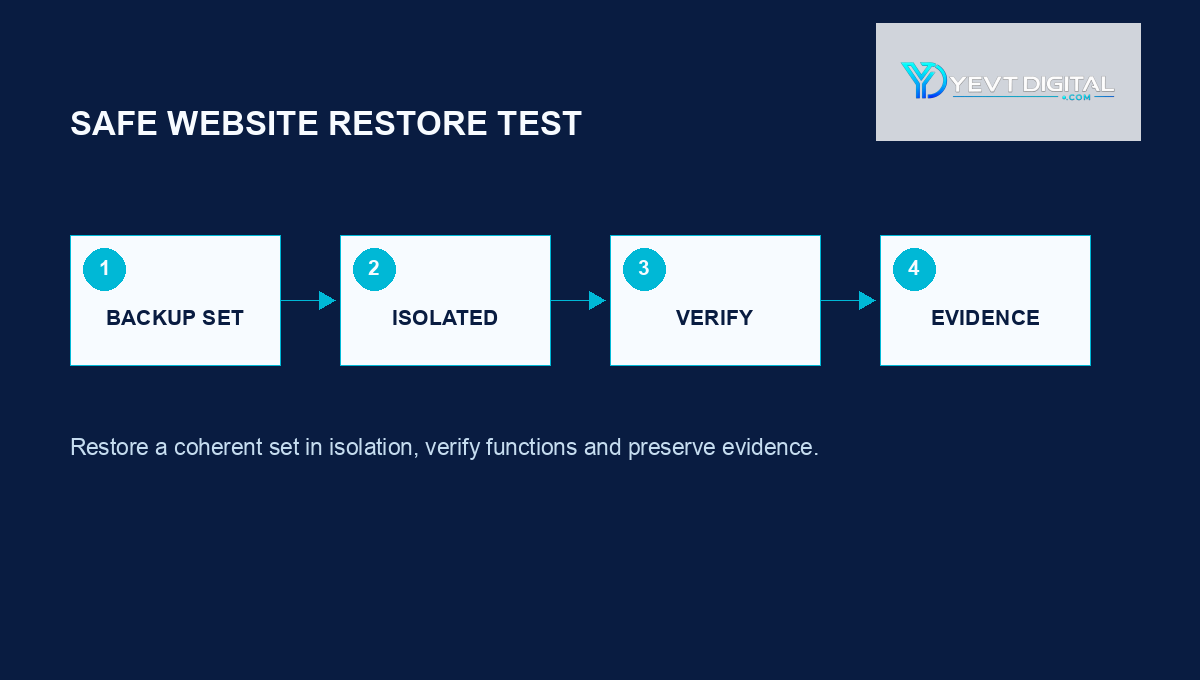
3. Select a coherent set and verify integrity
Database and files must represent the same acceptable moment or a documented coherent point. Preserve creation time, source, tool, format, size and checksums. A checksum confirms that a file has not changed; it does not prove the application will work.
Before restoring, confirm that the archive opens, the database is readable and expected components exist. Keep secrets out of logs. For encrypted backups, verify that an authorised operator can actually retrieve the key through the documented process.
4. Restore in a repeatable sequence
Record each step and result: environment preparation, file placement, database import, test URL changes, permissions, cache handling and application start-up. The exact order depends on the platform, so confirm it against documentation for the active version rather than trusting a generic command.
If a step fails, preserve the error and pre-change state. Do not improvise a production change to make the drill pass. A drill failure is useful evidence: it identifies which tool, permission, version or dependency is missing from the plan.
5. Verify functions, data and safety boundaries
Check more than an HTTP response. Open representative pages, images and files; sign in with a test account; inspect search, navigation, canonical links and language links. Test forms without sending to real recipients, and keep payments or external services in test mode or disabled.
Compare records and files with the inventory. Confirm that the test environment does not send messages, run production scheduled jobs or permit public indexing. A material issue means recovery is unverified even when the home page appears normal.
6. Record time, findings, ownership and the next drill
Preserve the date, backup-set identity, checksums, active versions, start and finish, acceptance results, interventions and responsible operator. Report elapsed time as the result of this drill, not a universal promise for a future incident.
Afterwards, remove test secrets and the environment according to retention policy while keeping non-sensitive evidence. Assign every finding an owner and due date, then schedule another drill after remediation or a material system change.
The post-drill review should separate a defective backup, an incomplete procedure and a mismatched acceptance criterion. Record the consequence and smallest verifiable correction for each. If the drill required undocumented operator knowledge, update the procedure and check whether another authorised person can repeat it without an oral handoff.
- Define the inventory and acceptance criteria.
- Select a coherent database-and-files set.
- Check readability and checksums.
- Restore only in an isolated environment.
- Verify content, functions and safety boundaries.
- Record time, findings, owner and next date.
7. Frequently asked questions
Does a successful backup job prove recovery is possible?
No. It shows that the tool produced output; a restore drill tests whether that output returns a usable system.
Is restoring only the database enough?
Not for a typical CMS. A coherent set of the database, application files, uploaded content and relevant configuration is required.
Can the drill run on production?
Not as the first choice. Use isolation so a drill error cannot damage the public site.
What does a checksum prove?
That a file has not changed under the same algorithm; it does not prove completeness or application function.
How often should the drill repeat?
There is no universal interval. Match it to risk and repeat after a material change or remediation.
Does HTTP 200 mean the restore succeeded?
No. Content, functional and safety checks must pass against predefined acceptance criteria.
8. Conclusion
A backup becomes evidence of recovery only when a coherent set can restore a verifiable website in an isolated environment. Inventory each layer, preserve provenance and checksums, document a repeatable sequence, test key functions and assign every issue an owner. Production should not be the proving ground for the first attempt.
Sources: WordPress Developer Resources: Backups, NIST SP 800-34 Rev. 1. Accessed 20 November 2026.
Send the site address and current backup process for a recovery-plan review.