How to Check a Website Backup with a Recovery Rehearsal
A backup becomes useful when you know what it contains and how you would restore it. This guide proposes a small, documented recovery rehearsal for a business website: a separate environment, explicit boundaries and a content check. It is not an instruction to overwrite your live site. Someone familiar with your application and hosting should adapt the technical steps.
What does a “backup successful” message actually confirm?
Separate three questions: was an archive created, does it include the required data, and can the website run from it? Our recommendation is to ask for a separate piece of evidence for each question. Keep the completion log, but do not make it your only recovery criterion.
For a WordPress website, the official documentation distinguishes a file backup from a database backup. Both parts are needed to restore that kind of site. This does not mean every website uses WordPress: for a custom application, first request its actual component inventory. Source: WordPress — Backups.
Archive check: “The file exists and the job finished.”
Recovery rehearsal: “We restored this identified copy into an isolated environment and checked the agreed functions.”
The second statement is the acceptance criterion proposed here. It does not establish that every future incident will be resolved in the same way. The report should therefore also identify what was not checked, including external services and data created after the backup.
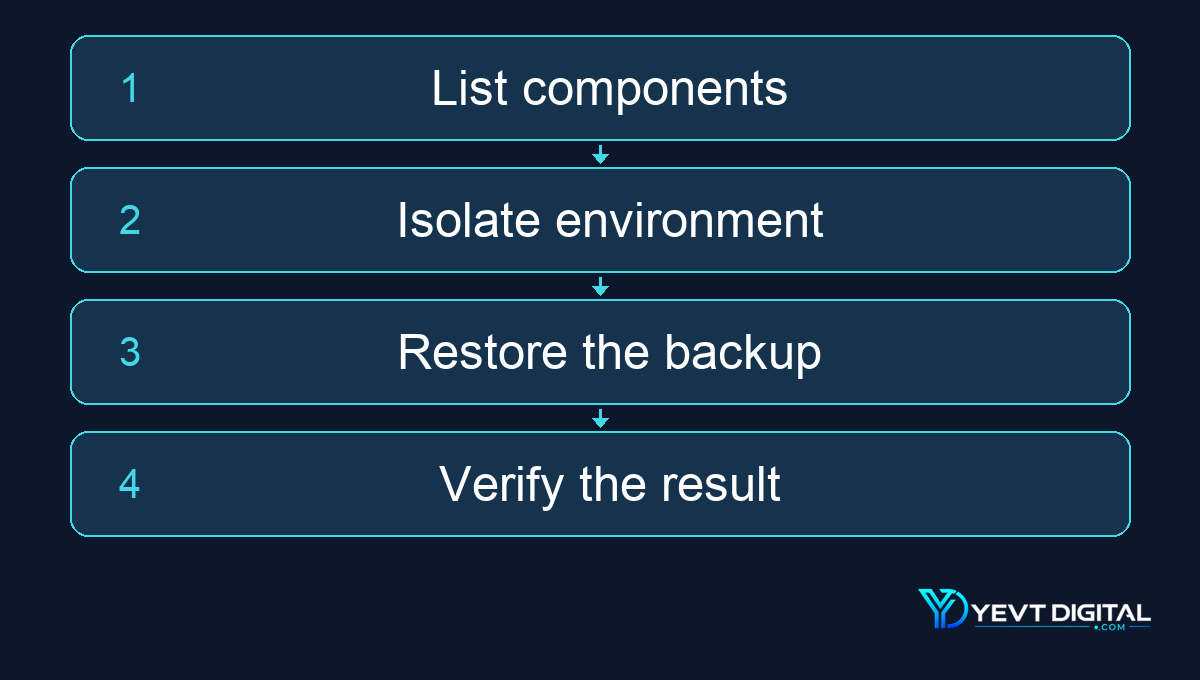
A practical framework: inventory, isolate, restore, verify
We propose the following sequence as a checklist for a website owner and technical maintainer. It is an editorial workflow, not a replacement for the documentation of your specific system.
- List the components. Record the application, database, images and attachments, together with required settings. Keep secret values out of the report.
- Identify the copy. Record the archive name, creation time, scope and storage location.
- Prepare isolation. Request a separate directory and database, restricted access and disabled outgoing integrations.
- Restore the data. Follow the application and hosting documentation, recording the commands or steps used.
- Check agreed pages. Compare content, images, internal links and required functions.
- Record the outcome. Distinguish passed, failed and not tested, with concrete evidence.
Start with a one-page task brief containing four fields: selected backup, responsible person, isolated destination and acceptance criteria. If any field has no answer, ask for clarification before the rehearsal begins. Use actual names and locations rather than generic labels such as “the latest version”.
Which parts of the website should you check?
Content and attachments
Our suggestion is to select the homepage, an important service page and a piece of content with an attachment. Record a specific heading, expected image and internal link for each. This gives you a small, repeatable sample; explicitly state in the report that every record was not reviewed.
A database and files as a related set
A suggestion for your plan: list the components you checked and their dates beside each archive. Ask the maintainer to explain how they are connected. Do not conclude that a backup is complete from its filename alone; request a concrete inventory and review results in the acceptance record.
Hosting and responsibility for restoration
cPanel documentation distinguishes full and partial backups: a full backup cannot be automatically restored through cPanel itself; the documentation directs users to WHM or their hosting provider for that function. Check what your account actually supports before writing your recovery plan. Source: Backup for cPanel.
An illustrative example: a business website with an inquiry form
Illustrative example, with no real client or verified result: a small website owner wants to check a backup before a major update. The agreement is for the maintainer to restore only the copy into a private environment, without changing the live domain. Message delivery and other external actions stay disabled in the test version.
First, the owner identifies what they expect: the homepage heading, service description, a particular image and a working link to the contact page. The maintainer records which backup is being used, where it is being restored and which components are missing. They then follow the actual system's restoration procedure and record the observed state.
A proposed outcome statement is: “Pages and images checked at the listed addresses. Form appearance reviewed. Actual message delivery not tested.” That is more precise than “everything works”. If an image is missing, that part of the check remains failed until the cause is identified and the relevant check is repeated.
Finally, ask for a description of how the test environment will be removed under the agreed data retention rule. Our recommendation is not to leave an overlooked public copy of the business website after the rehearsal ends.
Common mistakes in a backup plan
- Unclear scope. Replace “the whole website” with the specific components included and excluded.
- Rehearsing over the live website. Request an isolated destination for this exercise; treat a production change as a separate job.
- Checking only the homepage. Include preselected internal content and an attachment.
- Confusing appearance with delivery. Do not describe a rendered form as evidence that a message arrived.
- Leaving limitations unrecorded. If access or part of the backup is missing, write “not tested” and explain why.
Also establish who is allowed to download and use the archive. Put the location and responsible person in the working report, and share access details only through an already approved secure channel. This is a suggested working arrangement, not a claim about the present state of your account.
Your next step: write the acceptance record before the rehearsal
Send your maintainer a short request: “Please rehearse recovery from the identified backup in an isolated environment. I need an inventory of restored components, evidence of checks on the selected pages, and a clear list of untested functions. The production website is not the destination for this rehearsal.” Add the actual website name and backup date.
If you are planning a website or changing maintenance arrangements, use the Yevt Digital website brief to describe your need for verifiable recovery. This invitation does not confirm a particular backup package, price or delivery period.
Frequently asked questions about recovery rehearsals
Does having a ZIP archive confirm recovery?
It is not evidence of a restoration rehearsal. We suggest keeping separate records for archive contents and restoration results.
Does a WordPress file backup include the database?
WordPress documentation treats the database and files as separate components. Check your tool's scope rather than inferring it from the archive name.
Can I automatically restore a full cPanel backup in cPanel?
According to cPanel documentation, that full-backup function belongs to WHM; contact your provider. Partial backups have a separate procedure.
How often should I rehearse?
This guide does not prescribe a universal interval. Our suggestion is to agree one based on website changes and recovery requirements, and record it in the plan.
Should I submit a real inquiry from the test website?
Outgoing actions stay disabled for this proposed rehearsal. Any delivery test needs a separately agreed scope and safe destination.
What if part of the check fails?
Record the specific issue and preserve the evidence. We suggest fixing that part and repeating related checks without declaring the entire recovery successful.
Conclusion: ask for evidence you can reproduce
Start with one backup and a small set of expected results. Agree an isolated restoration, check that set and keep a record with its limitations. The proposed workflow aims to establish what was actually restored and reviewed, without promising a future outcome.
Sources, accessed November 6, 2026: WordPress — Backups; cPanel — Backup for cPanel. Checklists and the illustrative example are editorial suggestions in this guide.