Accessible HTML Tables: Clear Row and Column Headers
In a business-hours table, 16:00 only makes sense if you know whether it means opening or closing and which day it applies to. Sighted readers can follow the row and column. The HTML should preserve those relationships so the data also makes sense when someone reads the table cell by cell.
Preserve the relationships you see
Bold text is a visual cue. Marking a cell with th gives it the role of a header. Ordinary data values go in td. In a simple table, this distinguishes row or column headings from the data they describe [1].
Tables are useful when the reader needs to compare the same properties across items. If you are just listing steps in one column, a list may be clearer. Decide what question the presentation should answer before choosing the element.
Associate rows, columns, and the caption
When both directions have headings, use scope="row" on row headers and scope="col" on column headers. W3C demonstrates this pattern for simple tables with both kinds of header [2]. Add a caption that tells users what the table contains. The element associates the title with the table in the document structure [3].
Before entering the data in your CMS, write the meaning of a cell in a full sentence, such as “The business closes at 16:00 on Wednesday.” If you cannot write that sentence without adding information that is not in the table, check the header labels and units.
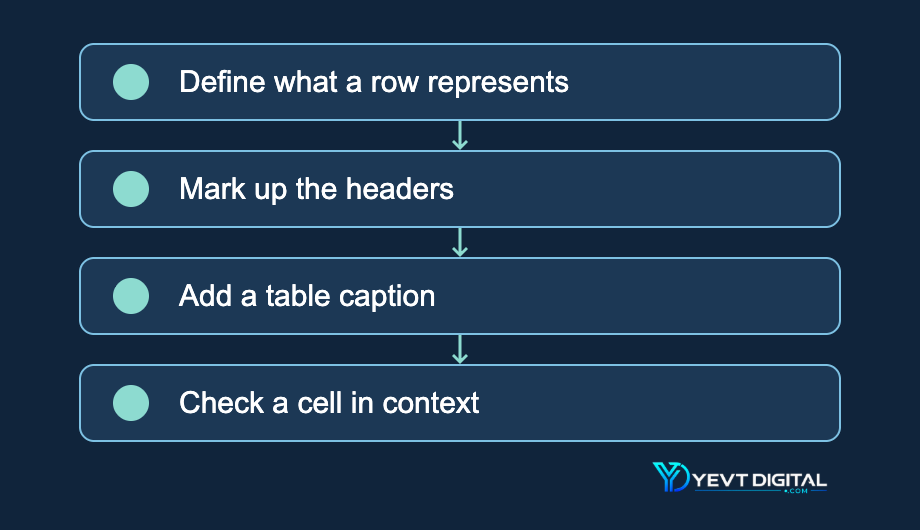
- Define what a row represents
- Mark up the headers
- Add a table caption
- Check a cell in context
Adapt the structure to the real data
For a schedule, the caption might name the location or service. In a specifications table, include the unit in the heading when it applies to the whole column. If you shorten a label for space, explain it nearby or choose a shorter phrase that still makes sense.
For grouped headers or cells spanning multiple columns, look up the appropriate W3C pattern. The approach here is for simple tables. Splitting a complex table into two smaller ones can help if both retain the context needed to read them on their own.
Illustrative example: opening hours by day
In this example, “Opens” and “Closes” are column headers. “Monday” is a row header. The reader can identify 16:00 as Monday's closing time. The hours are invented to illustrate the markup.
In the example HTML, caption describes the table as a whole. Each time cell gets meaning from its row and column. Save the example in a test document and compare the display with the structure that actually loads in the browser.
<table>
  <caption>Business hours</caption>
  <thead>
    <tr><th scope="col">Day</th><th scope="col">Opens</th><th scope="col">Closes</th></tr>
  </thead>
  <tbody>
    <tr><th scope="row">Monday</th><td>09:00</td><td>16:00</td></tr>
  </tbody>
</table>
Check a narrow screen and the saved HTML
A content editor can alter pasted markup. After saving, inspect the loaded HTML and check caption, th, td, and scope. Navigate the table with a screen reader and listen for the information needed to understand each value. The exact announcement can depend on the browser and assistive technology.
On a narrow screen, check that the values do not overlap and that the final column is reachable. If the user needs to scroll horizontally within a region, check keyboard access as well. If the layout becomes cards, keep a clear label with each value.
Exercise before your next content update
Pick an existing table. Write down its title and the meaning of a cell in the middle. Check whether the same information can be recovered from the headers in the loaded document and whether it is visible in a narrow layout.
Repeat the check in the second language, especially if its labels are longer. Turn mismatches into specific tasks such as “Mark the day in the first column as a row header.”
Frequently asked questions
Is bold text enough for a header?
It can help visually, but use th for an HTML table header.
What does scope="col" mean?
It identifies the cell as a column header in this simple pattern.
Where does the table title go?
Put a caption inside the table element so the title is associated with the table.
Must every cell in the first row be a th?
Mark the actual headers. For instance, an empty corner cell in a table with row and column headings does not need to act as a header.
Should I check both languages?
Yes. Translation changes wording, meaning, and the space labels take up.
Does one test prove the entire site is accessible?
It covers the specific table and combination of tools that you tested.
Conclusion
Make the caption explain what the table shows and the headers explain each value. Finish by checking the loaded document and the narrow layout.
Send a brief for your business website
Sources