URL Redirects: Change a Page Address Without Chains or Broken Links
Changing a page address looks like a small editorial update, but it affects old links, bookmarks, search results, analytics and the visitor journey. If the old URL simply disappears, the visitor receives an error. If it passes through several intermediate addresses, every extra hop adds complexity and delays access to the content.
A redirect is a rule in which the old address returns a 3xx status and points the client to another address through the Location header. RFC 9110 defines these status semantics, while Google recommends permanent server-side redirects for permanent moves and direct destinations rather than chains. A sound workflow therefore starts with a URL map, not with rules written from memory.
1. Create an old-to-new map before the change
List every address that will change and assign one final destination with the same or closest intent. Do not send every old page to the home page merely because it is available. A visitor looking for a particular service, article or product should reach the corresponding new content or receive a clear indication that it no longer exists.
Add the source of each old URL to the map: navigation, sitemap, campaign, PDF, business profile or an external link you can update. Record important parameters or fragments as well. The map becomes the control document for implementation, testing and later review of temporary rules.
| Weak approach | Better approach |
|---|---|
| Every old URL goes to the home page | Each old URL goes to the closest relevant destination. |
| Old → temporary → final | Old → final in one redirect. |
| Redirect without updating internal links | Internal links use the new address immediately. |
2. Choose a permanent or temporary status
Use a permanent redirect for a permanent page move. Google states that 301 and 308 mean that a page has permanently moved. Use a temporary status, commonly 302 or 307, when the change is temporary and the original address should remain the expected location after the temporary reason ends.
The distinction is not only the words “permanent” and “temporary”. RFC 9110 explains that clients may historically change POST to GET after 301 or 302, while 307 and 308 unambiguously preserve the method. A rule for a form, API or other action must therefore follow the application contract. This article focuses on content pages requested with GET.
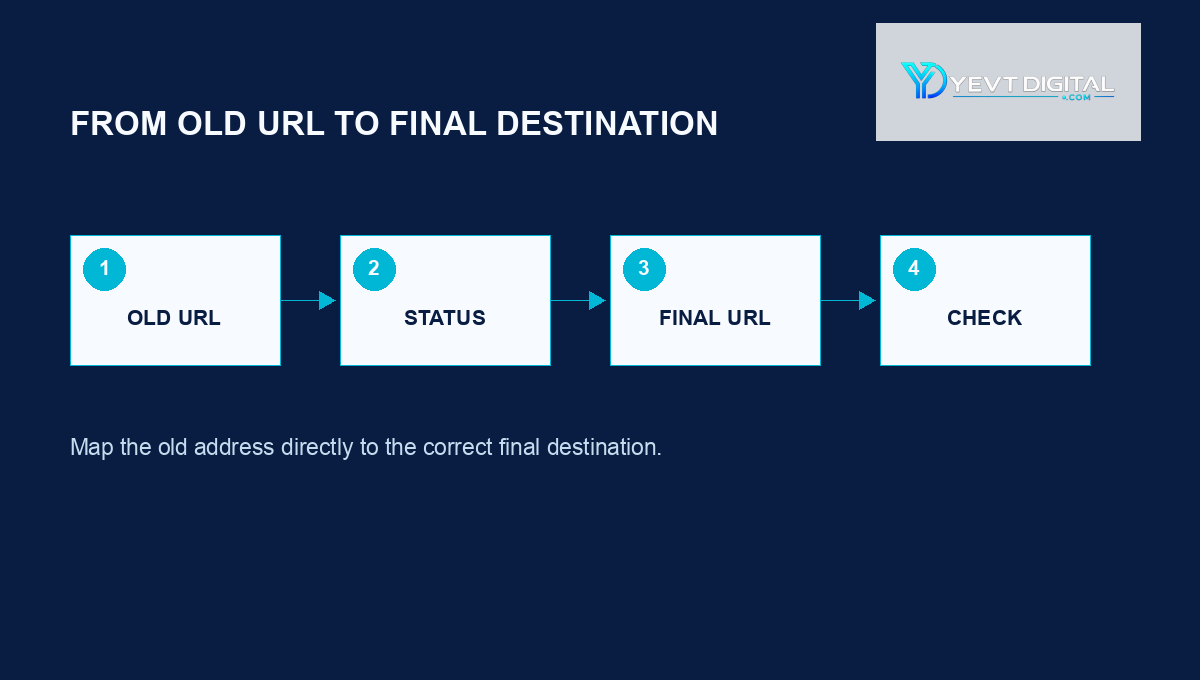
3. Point the old address directly to the final destination
A chain appears when URL A redirects to B, B to C and only C reaches the new page. Google advises redirecting directly to the final destination and notes that chains add latency and are not equally reliable for every client. When the destination changes again, update the original A rule so it points straight to the newest final address.
A loop is a more serious failure: A redirects to B and B returns to A, or a longer sequence closes the circle. The browser eventually stops loading. Test without automatic following to inspect the first status and Location, then test with following enabled to confirm the final URL and number of hops.
4. Update signals inside the site
A redirect preserves the route from an old address, but the current site should not continue using that URL. Update internal links, navigation, breadcrumbs, calls to action and references in the content. Google recommends updating internal links after a move because it improves user experience and reduces unnecessary server work.
On the new page, verify canonical, language alternatives and structured data. The sitemap should contain the new final address, not an old URL that immediately redirects. If Serbian and English use different paths, map each language URL to its matching localisation instead of sending both to one version.
5. Check the status, destination and actual content
A 301 response is not a successful migration when its destination contains the wrong page. For every row in the map, check the old address status, Location value, final 200 status and a title or other unique marker of the expected content. Then open the journey in a browser at mobile and desktop widths to catch failures that a command-line check cannot show.
Test negative cases too: a similar misspelled path, a trailing-slash variant, letter case when the system distinguishes it and important parameters. Avoid broad rules that capture unrelated pages. Test every generic rule against a list of URLs it must redirect and URLs it must leave alone.
6. Release with a rollback plan
Keep the original URL map, changed rule and test results. Before applying the change, save the part of the configuration you will edit and define how to remove only the new rule if it creates a loop or wrong destination. Do not restore a whole database or site because of one redirect mistake.
After release, monitor reported 404 pages, server logs and important entry URLs. Correct internal links that still use the old address. Permanent redirects commonly remain while old links and bookmarks may still be used; the removal time depends on real dependencies, so this guide does not impose one universal deadline.
- Keep the old-to-final URL map.
- Apply the rule in a staging or controlled environment.
- Check the first 3xx status and Location without automatic following.
- Check final status, content, canonical and language links.
- Update internal links and the sitemap.
- After release, monitor 404s, chains and unexpected destinations.
7. Frequently asked questions
Should a permanent move use 301 or 308?
Both indicate a permanent move. Either can fit an ordinary GET page; 308 unambiguously preserves the method, so check the application contract for other requests.
When should 302 or 307 be used?
When the destination is temporary and you expect to return to the original address. A 307 preserves the request method.
Can I redirect an old page to the home page?
Only when the home page is genuinely the closest relevant destination. Sending unrelated URLs there confuses visitors.
How do I detect a redirect chain?
Inspect each 3xx response and Location without automatic following, then record every hop to the final status.
Is adding a redirect enough?
No. Update internal links, canonical, hreflang, the sitemap and references in campaigns or documents you control.
How long should a permanent redirect remain?
There is no single deadline for every site. Keep it while old links, bookmarks or other known traffic sources may still be active.
8. Conclusion
A safe URL change starts with an old-to-new map, a clear choice between permanent and temporary status and one direct route to the final page. Update internal links, canonical, language alternatives and the sitemap, then verify both the HTTP response and actual content. The redirect becomes a controlled change with evidence and a rollback plan instead of an invisible chain discovered only after a visitor reports a failure.
Sources: Google Search Central: Redirects and Google Search, Google Search Central: Site Moves and Migrations, RFC 9110: HTTP Semantics. Accessed 16 November 2026.
Send us the old and planned new page address so we can assess the scope of a safe website change.