Mixed Content After HTTPS: How to Find and Remove HTTP Resources
An HTTPS page can display a lock while still attempting to load individual images, scripts, styles, forms or downloads over plain HTTP. This is mixed content: a protected main document includes a resource through an unprotected connection.
Browsers do not handle every such request in the same way. The W3C standard distinguishes content that a browser may automatically upgrade to HTTPS from content that should be blocked. A dependable workflow is therefore to inventory, observe the actual request, repair its source and retest.
1. What mixed content is and why it matters
If an HTML document arrives over HTTPS but one of its subresources uses HTTP, the whole experience no longer has uniform protection. An attacker on the network may be able to alter the unprotected resource. The consequences depend on the type: an executable script or embedded frame is different from a decorative image, but an image should not remain as a permanent warning either.
Modern browsers attempt to upgrade some image, audio and video requests from HTTP to HTTPS while blocking other categories. Automatic upgrading is not a source-code repair; the address in the CMS, template or database still needs correction.
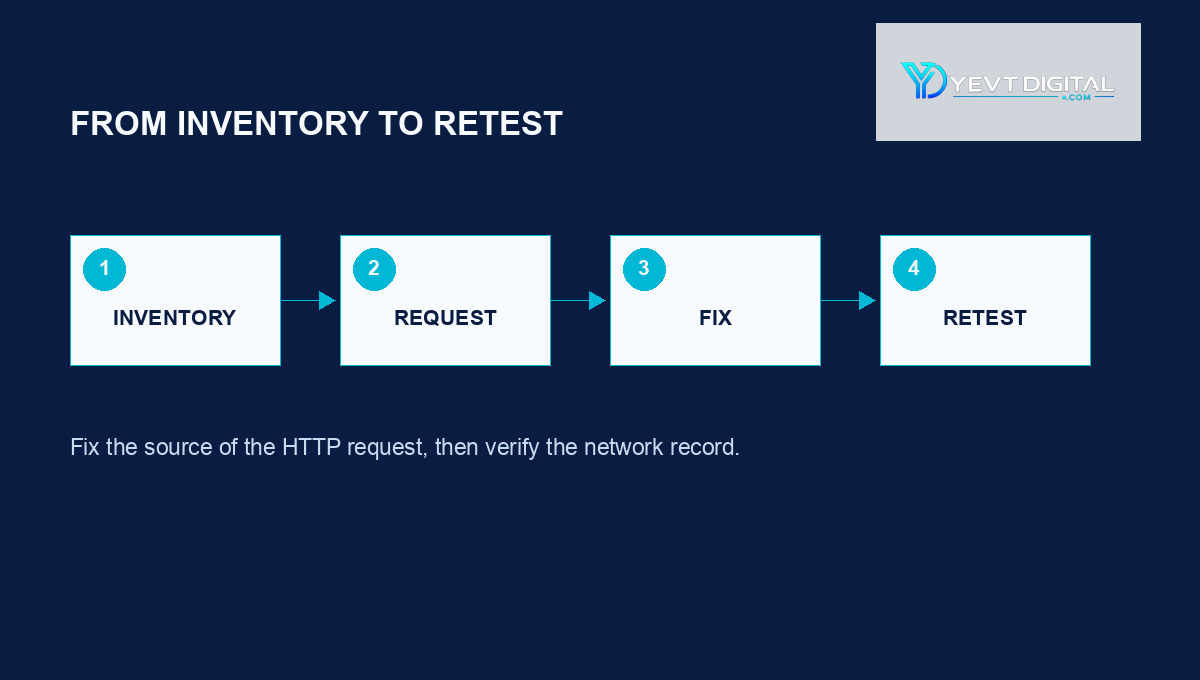
2. A framework: inventory, request, fix, retest
Begin with places that may contain an absolute http:// URL: HTML, CSS, JavaScript, CMS content, widgets, forms, fonts and download links. Then load the affected page and observe what the browser actually requests.
Repair the origin of the request rather than only the visible symptom. Clear caches and repeat the check in a clean session across relevant templates and languages.
3. Where HTTP resources tend to hide
An old absolute URL may remain in article content, a CSS background-image, an inline style, JavaScript configuration, header or footer, a theme option, a database row or a third-party integration. A form may live on an HTTPS page while its action uses HTTP. A PDF button may point to an HTTP download.
A source-code search is useful but incomplete. A URL can be created dynamically, arrive in an API response or appear only after an interaction. Combine the static inventory with the browser's network record.
4. Diagnosing the request in the browser
Chrome DevTools' Security panel can reveal non-secure origins and link to the relevant requests in the Network panel. In Network, the mixed-content:all filter shows requests known as mixed content, while scheme:http narrows the view to HTTP requests.
Record the page URL, resource URL, initiator, resource type and server response. Together, these details usually identify whether the problem comes from content, a template, a stylesheet, a script or an external service.
5. An illustrative low-risk repair
In an isolated copy of a page, a CSS rule was found calling an image over HTTP. The same resource was first checked on HTTPS, including its response and content type. Only then was the URL changed in the source CSS setting, the cache cleared and the page loaded again.
Blindly replacing http:// with https:// is insufficient. The destination may not support HTTPS, its certificate may be wrong, its path may differ or the content may no longer exist. If a third party lacks dependable HTTPS, replace or remove the resource, or host it only when publication rights have been verified.
6. Mistakes that prolong the issue
Do not rely only on the lock icon, because the browser may have upgraded part of the content. Do not disable security protections to hide the warning. Do not run a bulk database replacement without a backup and checks for serialized data. Remember subdomains, CDNs, language variants, forms and downloads.
After the repair, test representative templates: home, article, category, contact, sign-in and a download page. Automated crawling can support a larger site, but final confirmation should include an actual network record.
7. Frequently asked questions
Is an HTTP-to-HTTPS redirect enough?
No. The browser may block the request before the redirect or still treat it as mixed content. The source URL should use HTTPS.
Does a relative URL solve the problem?
It often inherits HTTPS from the document, but the destination, base path and behavior in every environment still need checking.
Why does the warning appear on only one page?
The source is likely content or a component loaded only on that page.
Is an image over HTTP a problem?
Yes. A browser may upgrade it, but the source remains wrong and behavior can vary with the URL and browser.
What about an ordinary HTTP link to another site?
A navigation link is not the same as an embedded subresource, but the destination and user journey should still be assessed.
When is expert review appropriate?
When the issue affects sign-in, payment, forms, third-party scripts, many database rows or a production database without a safe rehearsal.
8. Conclusion and next step
Mixed content is resolved with evidence rather than guesses: inventory possible sources, observe actual requests, correct the location that generates the HTTP address and run the test again. For a review of a specific site, prepare the affected URLs and contact Yevt Digital with the environment and scope.
Sources: W3C, Mixed Content; MDN, Mixed content; Chrome for Developers, Inspect the security of a page and Network features reference. Accessed November 11, 2026.