Caching Static Assets: Cache-Control, ETag and Versioned Filenames
When the same image, font, stylesheet or JavaScript file is downloaded on every visit, a site spends time and bandwidth on content that has not changed. When the same URL is stored for too long without a check, a visitor may receive an outdated version. HTTP caching balances these needs by storing responses for possible reuse.
A sound configuration does not begin with an arbitrary long lifetime. First, distinguish content that receives a new URL whenever it changes from content whose URL remains stable. Then verify the actual response headers, conditional requests and behavior after a new site deployment.
1. What an HTTP cache stores
RFC 9111 defines an HTTP cache as a local store of response messages and the subsystem that controls their storage, retrieval and deletion. A stored response can reduce response time and data transfer when a later request matches the same resource. A cache may be private, such as one used by a single browser, or shared, such as one used by an intermediary.
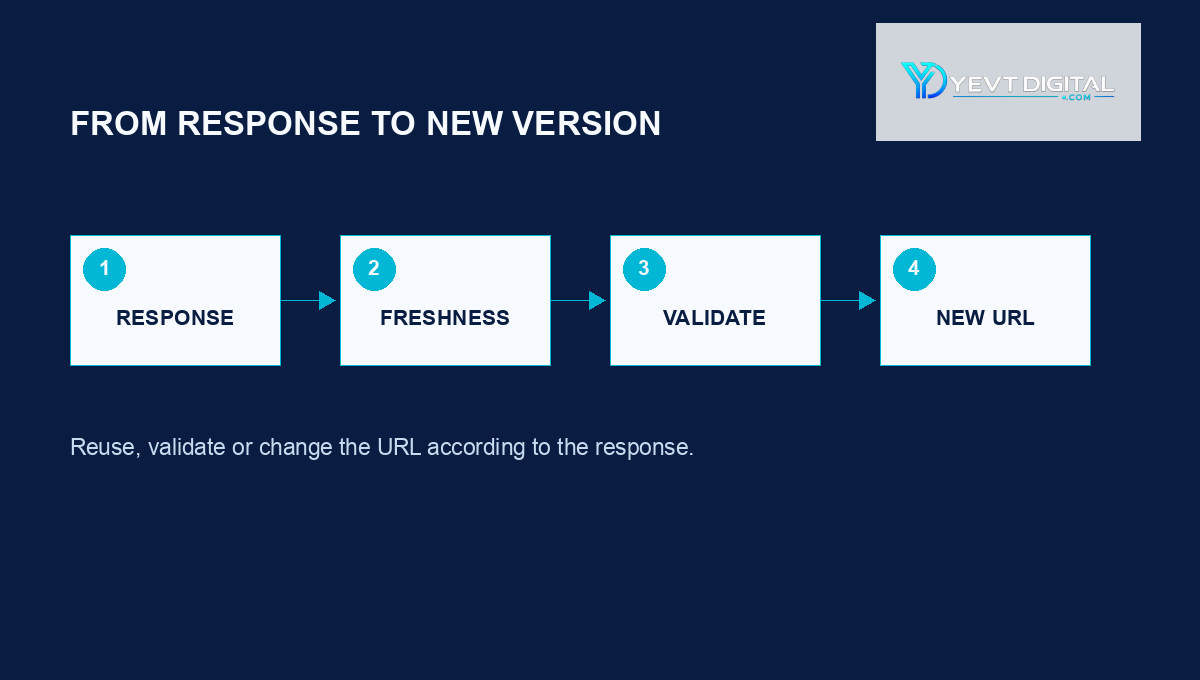
A response that has not exceeded its freshness lifetime can be reused without contacting the origin server. Once stale, it is not necessarily useless: the client can ask whether the resource has changed. It is therefore useful to distinguish reuse of a fresh response from validation of a stale response.
2. Three roles: Cache-Control, ETag and a changed URL
Cache-Control provides directives for storage and reuse. max-age determines how long a response is considered fresh, while no-cache does not mean “do not store”; it requires validation before reuse. no-store is a different directive that prevents storage.
An ETag identifies a particular version of a resource. When a stale stored response has an entity tag, the browser can send it in If-None-Match. If the content has not changed, the server may return 304 Not Modified without retransmitting the response body. A changed or versioned filename solves another problem: a new version receives a new URL, separating old and new resources.
3. A strategy for static assets
For stylesheets, scripts, fonts and images whose names contain a version or content hash, a deployment creates a new URL, such as app.a81f.css. The old URL can then have a longer lifetime because its content should no longer change. MDN describes this pattern as changing the URL whenever the content changes.
The HTML document points to the new asset names, but its own URL cannot simply change on every deployment. Timely validation is therefore often important so that browsers discover the new references. No single lifetime fits every site: the choice depends on the deployment process, CDN purge capabilities and the consequences of a stale version.
4. An illustrative Network panel check
In an isolated or controlled environment, open the page with the browser's Network panel enabled. Record the resource URL, response status and the Cache-Control, ETag, Last-Modified and Age headers when present. Reload without clearing site data and check whether a fresh resource is reused or a conditional request is sent.
- Record the initial URL and ETag of one static asset.
- Confirm its behavior during an ordinary reload.
- Deploy a controlled change that should alter the filename.
- Check that the HTML now points to the new URL.
- Confirm that the new URL returns the new content while unrelated assets remain unchanged.
A hard reload or disabled cache in developer tools does not demonstrate normal visitor behavior. It is useful for diagnosis, but the final check should also include an ordinary visit.
5. Common errors and risks
The first error is applying the same long max-age to every response. Personalized HTML, signed-in users and private data require separate care. RFC 9111 warns that a Set-Cookie header does not by itself prevent caching; the server must send appropriate directives. The second error is interpreting no-cache as a complete prohibition on storage.
The third error is changing a file's content without changing its URL after marking the resource as long-lived and immutable. The fourth is adding a random query parameter on every request, which defeats reuse and removes the cache benefit. The fifth is checking only for a 200 response without examining where the response came from, whether validation occurred and whether the expected version was delivered.
6. Next step: an inventory and checklist
Create a small inventory: HTML, stylesheets, scripts, fonts, images, downloadable documents and API responses. For each group, note whether it is public or private, how often it changes, whether a change creates a new URL and how freshness is verified. Only then assign a policy.
- Do public static files have stable content at each URL?
- Does the deployment change the name or content hash when the file changes?
- Does HTML reveal new asset names promptly?
- Do ETag or Last-Modified support validation?
- Do personalized responses have appropriate privacy directives?
- Is the policy checked at both the origin and every CDN layer?
For a review of a specific site, prepare several representative URLs and their response headers, then describe the scope through the website project and improvement brief.
7. Frequently asked questions
Does ETag replace Cache-Control?
No. Cache-Control governs storage and reuse conditions, while ETag helps validate a particular version when validation is required.
Does no-cache mean the response will not be stored?
No. It requires validation before reuse. The no-store directive prevents storage, with consequences that should be assessed.
Why change a filename?
A new URL separates the new version from the old one and allows long-term storage of content that will no longer change at the existing URL.
Is a query parameter equivalent to a new filename?
Both alter the URL seen by a cache, but behavior can depend on CDN configuration. A content-hashed filename is often a clearer part of the deployment process.
Does 304 mean the resource was not found?
No. 304 Not Modified means the stored version can be reused because the resource has not changed according to the validator.
Is there one universal maximum lifetime?
No. The lifetime depends on whether content can change at a URL, how a new version is deployed and the impact of a stale response.
8. Conclusion
Effective HTTP caching is not one header for an entire site. It coordinates freshness, validator-based checks and URL changes for new versions. Versioned names make longer storage safer for public static assets, while documents at stable URLs need deliberate validation. Final confirmation should show the real headers and ordinary-visit behavior, not only the result of a hard reload.
Sources: IETF, RFC 9111: HTTP Caching; MDN, HTTP caching; MDN, ETag header. Accessed November 12, 2026.